
I have used tmux long enough that most of its behavior has stopped feeling like configuration. Ctrl+A is simply the prefix. h, j, k, and l move between panes. g opens lazygit in a popup. New panes inherit the current directory. The colors look like my Tokyo Night “vague” theme because that is how a terminal is supposed to look.
Of course, none of that is actually universal. It is a pile of preferences accumulated in a 123-line .tmux.conf, a separate theme file, several plugins, and a few WSL-specific workarounds.
Then I found Herdr, a terminal multiplexer designed around coding agents, and wondered whether I could carry those preferences over. Instead of reading every configuration option and translating the setup by hand, I gave the whole problem to an agent.
My opening question was roughly:
Can Herdr replicate my tmux configuration?
I included the Herdr repository, its website, and my existing tmux config. That turned out to be a much better prompt than asking the agent to “set up Herdr.” It gave the agent a concrete source of truth: preserve what matters, identify what does not map, and avoid inventing a fresh workflow for me.
First, Find the Gaps
The agent did not immediately write a config. It read my tmux setup, checked Herdr’s documentation, and built a compatibility map.
A surprising amount transferred cleanly:
Ctrl+Aas the prefix- Vim-style pane navigation
- inherited working directories for new panes and tabs
- popup commands for lazygit and a scratch shell
- mouse support and copy-on-select
- session restoration
- custom colors based on my tmux theme
Some parts did not have direct equivalents:
tmux-thumbsandtmux-fzf-url- tmux-specific terminal overrides for RGB, undercurl, and CSI-u keys
- plugin variables used for
win32yank - tmux’s exact status line and prefix indicator
- a few small behaviors such as base-one window indexes and rectangle selection
This was the most useful part of the exercise. A migration is rarely “convert this file into that syntax.” The real job is separating intent from implementation.
My intent was not to preserve every tmux directive. It was to preserve navigation, directory behavior, popups, colors, persistence, and the shortcuts already stored in my hands. Once that became clear, losing two URL-selection plugins was an acceptable trade.
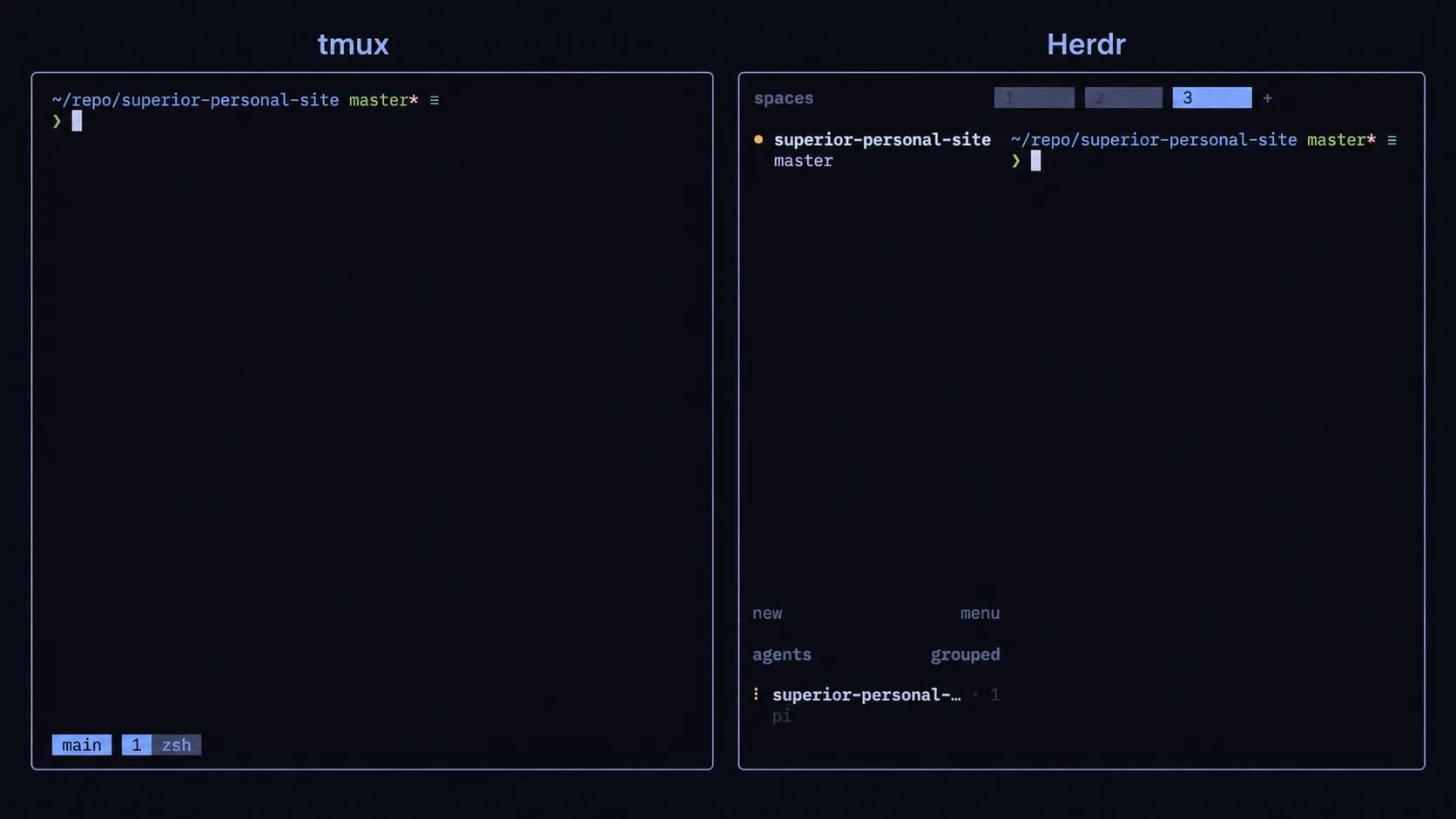
Translating Muscle Memory
Herdr does not read .tmux.conf. Its configuration lives in ~/.config/herdr/config.toml, so the agent had to re-express every useful behavior.
The foundation was simple:
[terminal]
new_cwd = "follow"

[keys]
prefix = "ctrl+a"

focus_pane_left = ["prefix+h", "alt+left"]
focus_pane_down = ["prefix+j", "alt+down"]
focus_pane_up = ["prefix+k", "alt+up"]
focus_pane_right = ["prefix+l", "alt+right"]

split_vertical = "prefix+v"
split_horizontal = "prefix+b"
new_cwd = "follow" mattered more than it might appear. My tmux bindings explicitly create windows and panes from #{pane_current_path}. Without that behavior, every split interrupts the flow by dropping me somewhere unrelated.
The keybindings also exposed an easy migration mistake: identical keys can already mean something else in the new tool. I wanted prefix+b for a split, but Herdr used it for the sidebar. The agent moved the sidebar toggle instead:
toggle_sidebar = ["prefix+shift+b", "ctrl+alt+b"]That choice preserved the b mnemonic while avoiding a conflict. It also gave me a prefix-free shortcut for something I may toggle frequently.
The same negotiation happened elsewhere. prefix+g remained my lazygit popup, so Herdr’s existing goto action moved to prefix+f. prefix+r remained reload-config, while resize mode moved to prefix+shift+r.
This is where an agent was particularly helpful. It could compare both sets of bindings, spot collisions, and propose alternatives without forgetting the original goal.
Rebuilding the Useful Popups
Two of my most-used tmux bindings open temporary floating terminals: one for lazygit and another for a plain shell. Herdr’s command bindings mapped well to both:
[[keys.command]]
key = "prefix+g"
type = "popup"
command = "zsh -i -c lazygit"
description = "lazygit"
width = "80%"
height = "80%"

[[keys.command]]
key = "prefix+t"
type = "popup"
command = "exec \"${SHELL:-zsh}\""
description = "scratch shell"
width = "80%"
height = "80%"
The syntax changed, but the interaction did not. That is the kind of migration I want: different internals, same instinct.
I also disabled the prompt for naming every new tab:
[ui]
prompt_new_tab_name = false
sidebar_start_collapsed = true
Pressing prefix+c should create something immediately, not turn a routine action into a form. New terminals already follow the active path, so generated names are good enough until there is a reason to rename one.
Porting the Theme, Not the Status Line
My tmux theme is a small hand-written Tokyo Night variant with a near-black background, blue accents, and muted borders. Herdr could reuse the palette, but not tmux’s status-line format.
That distinction matters. I could port colors such as:
[theme]
name = "tokyo-night"
auto_switch = true

[theme.custom]
accent = "#7aa2f7"
panel_bg = "#080A11"
surface0 = "#3b4261"
text = "#c0caf5"
subtext0 = "#a9b1d6"
yellow = "#e0af68"
red = "#f7768e"
But Herdr’s sidebar is not tmux’s status bar. Trying to force them into visual parity would miss the point of the new interface. I kept the palette and allowed the information architecture to change.
That became a useful rule for the whole migration: preserve identity and behavior, not every pixel or implementation detail.
- # tmux: ~/.tmux.conf
- set-option -g prefix C-a
- bind-key h select-pane -L
- bind-key j select-pane -D
- bind-key k select-pane -U
- bind-key l select-pane -R
- bind c new-window -c "#{pane_current_path}"
- bind b split-window -c "#{pane_current_path}"
- bind v split-window -h -c "#{pane_current_path}"
- bind-key g popup -d '#{pane_current_path}' -w80% -h80% -E "zsh -i -c 'lazygit'"

+ # Herdr: ~/.config/herdr/config.toml
+ [terminal]
+ new_cwd = "follow"
+
+ [keys]
+ prefix = "ctrl+a"
+ focus_pane_left = ["prefix+h", "alt+left"]
+ focus_pane_down = ["prefix+j", "alt+down"]
+ focus_pane_up = ["prefix+k", "alt+up"]
+ focus_pane_right = ["prefix+l", "alt+right"]
+ split_vertical = "prefix+v"
+ split_horizontal = "prefix+b"
+
+ [[keys.command]]
+ key = "prefix+g"
+ type = "popup"
+ command = "zsh -i -c lazygit"
+ width = "80%"
+ height = "80%"
Installing It Through Ansible
My dotfiles and machine setup live in an Ansible repository, so a local experiment was not enough. The migration needed to be reproducible.
For Linux, the agent added a small task around Herdr’s installer:
- name: Install herdr
  shell: 'curl -fsSL https://herdr.dev/install.sh | sh'
  args:
    executable: /bin/bash
    chdir: "{{ ansible_facts['env']['HOME'] }}"
    creates: "{{ ansible_facts['env']['HOME'] }}/.local/bin/herdr"
For macOS, it added herdr to the existing Homebrew formula list. The new dotfiles package is picked up by my existing stow setup, and I added an alias beside my tmux alias:
alias t="tmux new-session -A -s main"
alias h="herdr --session main"
That gave me a low-risk transition. t still opens the old setup; h opens Herdr. I can use both while deciding whether Herdr is ready to become the default.
The implementation is available in my Ansible repository:
- The initial Herdr migration commit
- The current Herdr config
- The tmux config it was based on
- The original tmux theme
- The Linux installation task
The Rough Edges Still Matter
The first launch also revealed details that configuration comparisons did not.
Inside Neovim, my insert-mode cursor became a block instead of a bar. Herdr draws the cursor itself by default under WSL to avoid host-cursor rendering problems, which means Neovim’s cursor-shape escape sequence no longer controls the outer terminal cursor in the same way. Switching Herdr’s host cursor behavior may restore the bar, but it can reintroduce the flicker the default is trying to avoid.
Image passthrough is another item I still need to test properly. My tmux config enables passthrough for tools such as yazi and terminal image previews. The closest Herdr setting is currently experimental:
[experimental]
kitty_graphics = true
These are exactly the reasons I kept tmux installed. A generated config can get me surprisingly far, but real terminal behavior still has to be tested with the applications I use every day.
What the Agent Actually Saved Me
The agent did not save me from typing 80 lines of TOML. That was the least important part.
It saved me from repeatedly switching context between my tmux config, theme file, Herdr documentation, keybinding reference, Ansible tasks, Homebrew setup, and shell aliases. More importantly, it kept asking the right migration question: what behavior was this old line trying to protect?
There were still corrections. An initial attempt to install Herdr through mise had to be removed in favor of the official installer. A sidebar binding conflicted with my split key. Some behavior only became clear after launching Herdr. The process was iterative rather than magical.
That is also why this was a good agent task. The inputs were concrete, the desired behavior was observable, and mistakes could be reviewed as config diffs. I remained responsible for deciding which compromises were acceptable.
I am not deleting tmux yet. Herdr is more opinionated, younger, and focused on a different kind of workflow. But I now have a setup that feels familiar enough to use seriously, without spending an evening translating documentation one option at a time.
For now, that is a successful migration: not a perfect clone, but a new tool that does not make me relearn how to move.